

 0
0 If you’ve ever wanted to let customers personalize products in real time on your WordPress or WooCommerce store, WP Configurator Builder (WCB) is made for you. This plugin turns ordinary product pages into interactive, customizable experiences without requiring a single line of code. Let’s explore our WP Configurator Builder review to learn what makes it a top choice for web agencies, developers, and store owners.
Who Should Use WP Configurator Builder for WooCommerce (WCB)?
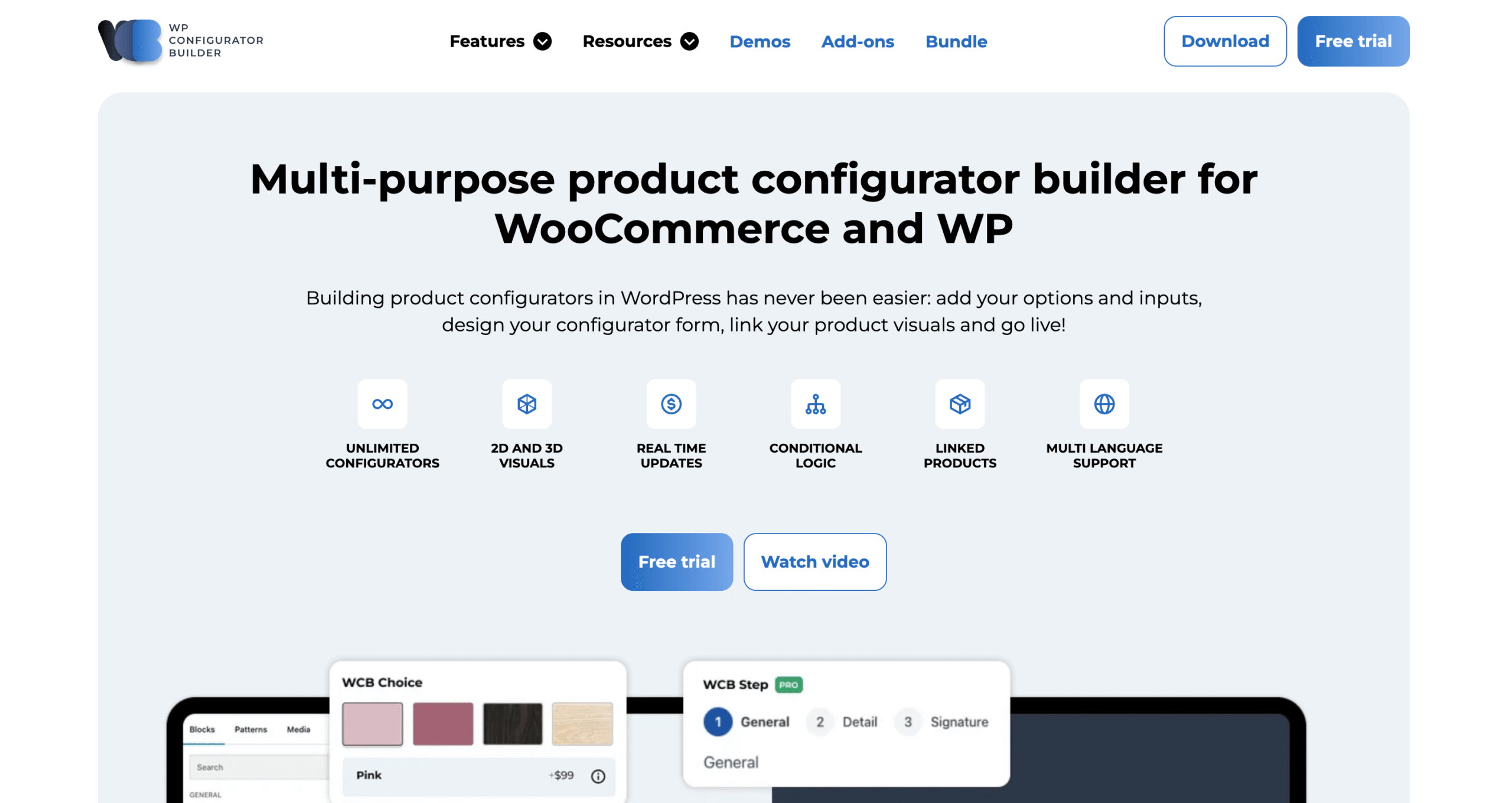
WP Configurator Builder (WCB) is perfect for anyone who wants to offer a highly interactive product experience:
- Web agencies creating client stores with configurable products
- Developers who need a flexible, code-free tool for advanced product forms
- Store owners looking to increase engagement, sales, and average order value
Whether you want to extend WooCommerce products or create standalone configurators, this plugin gives you everything you need.
Key Features of the WooCommerce Product Configurator Builder
WP Configurator Builder packs in everything you need to create engaging, customizable product experiences in WordPress. From unlimited options to real-time updates and even 3D configurators, here’s a breakdown of the features that make it stand out.
1. Drag & Drop Form Builder
Using the familiar Gutenberg editor, you can create customizable product forms by adding swatches, colors, cards, buttons, and input fields. Building a configurator is as simple as dragging and dropping elements.
2. Unlimited Configurators & Options
Even the free version lets you create unlimited configurator forms and add unlimited options for each product. No artificial limits.
3. Live Visual & Price Updates
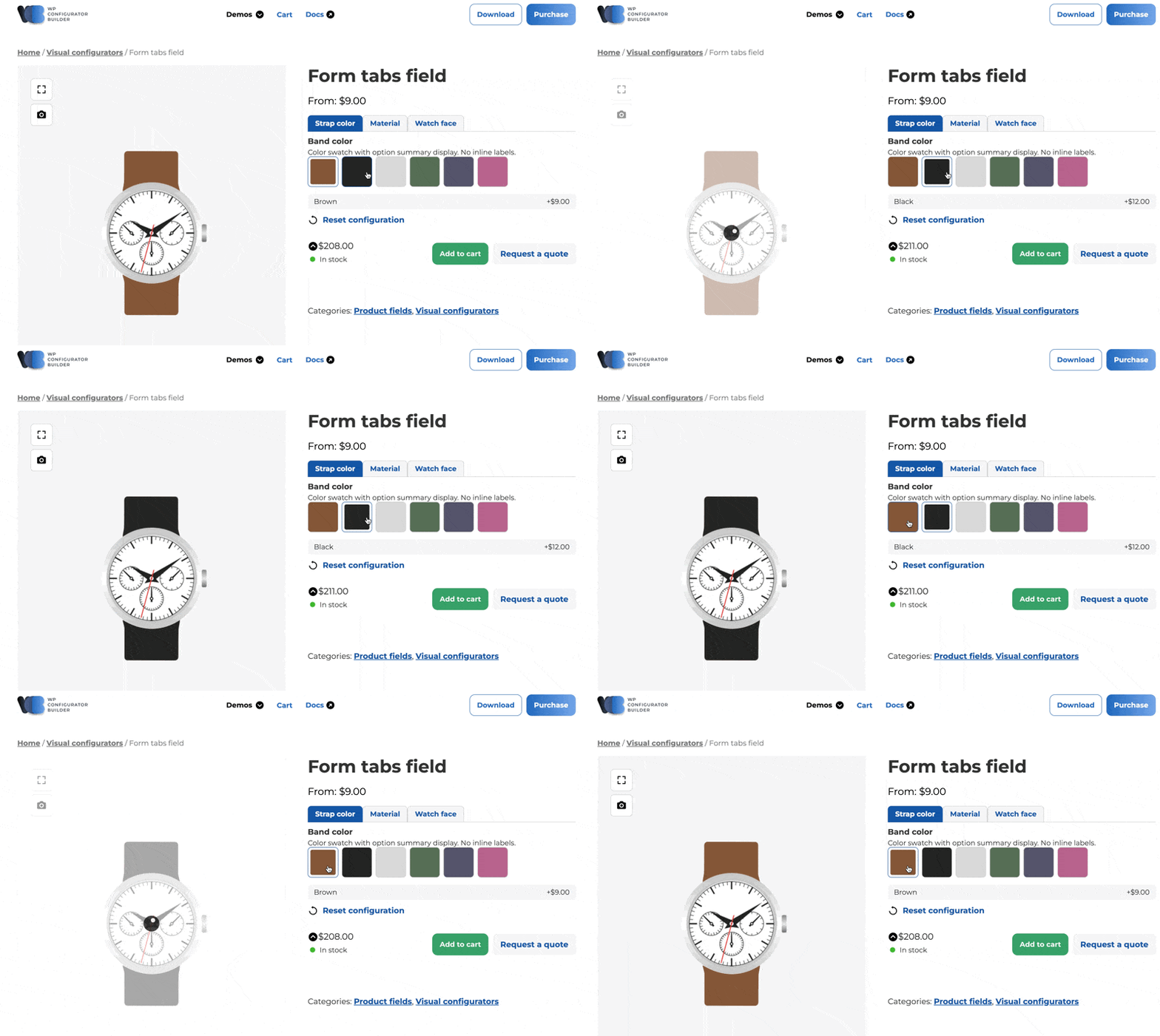
As customers select options, the product visuals and price update instantly, giving a real-time interactive experience.
4. WooCommerce & Standalone Support
WP Configurator Builder works seamlessly with WooCommerce but can also function independently, giving you full flexibility.
5. Conditional Logic & Multi-Step Forms
Show or hide fields based on customer selections, and split complex forms into multiple steps for better user experience.
6. 3D & AR Configurators (Pro)
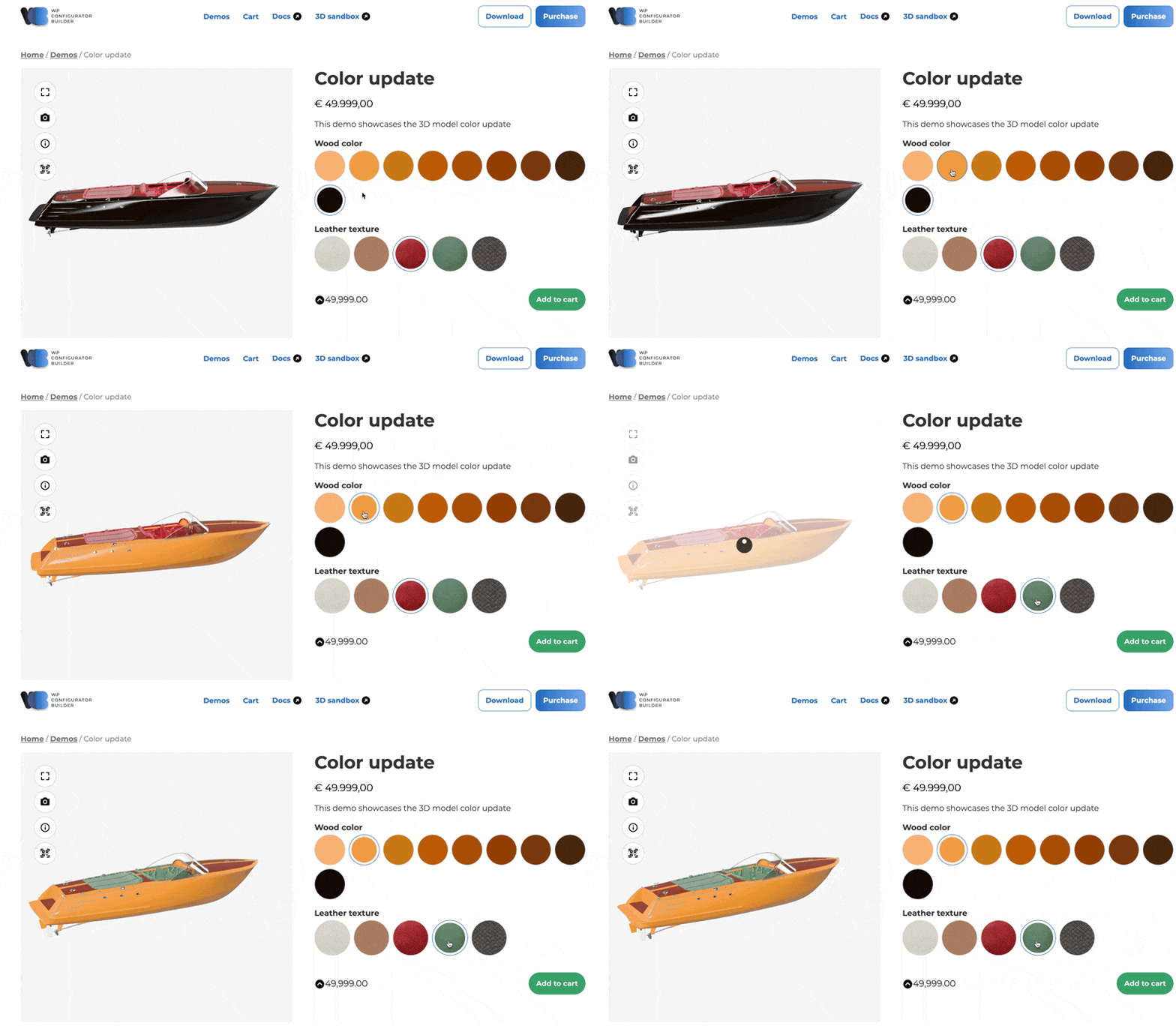
Upgrade to Pro and you can:
- Create 3D product configurators with full 360° interaction
- Overlay custom text and images onto product visuals
- Explore AR-enabled experiences for your customers
7. Advanced Features
- Stock management with WooCommerce integration
- Formula-based price calculations
- Multi-language and RTL support
- Save and continue later
- Pre-built templates for fast setup
Use Cases of WP Configurator Builder for Your Online Store
WP Configurator Builder isn’t just a single-purpose tool. Its flexibility makes it useful for a wide range of scenarios, whether you’re running a small online shop or managing complex product catalogs. Here are the main use cases where the plugin shines:
| Use Case | How It Helps | Examples |
|---|---|---|
| 2D Configurators | Links visuals to options like colors, sizes, or styles | Furniture fabrics, apparel colors, product variations |
| 3D Configurators | Lets customers rotate, zoom, and interact with products in 360° | Cars, jewelry, electronics, eyewear |
| CPQ Forms | Streamlines Configure, Price, Quote process with dynamic pricing | Manufacturing, printing, industrial equipment |
| Guided Selling Forms | Guides customers step-by-step to the right product | Custom clothing, SaaS service plans, electronics |
| Extra Product Options | Adds personalization fields and advanced inputs | Engraving, monogramming, file uploads, custom text |
1. 2D Configurators
Want to show customers exactly what their product will look like? With 2D configurators, you can link product visuals to choices like colors, sizes, or styles. For example, if you sell furniture, customers can preview how a chair looks in different fabrics before adding it to the cart.
2. 3D Configurators
Take customization to the next level with 3D product views. Customers can rotate, zoom, and interact with your products in full 360°. Imagine selling cars, jewelry, or electronics, buyers can see every angle while swapping colors, textures, or components in real time. This feature boosts confidence and reduces product returns.
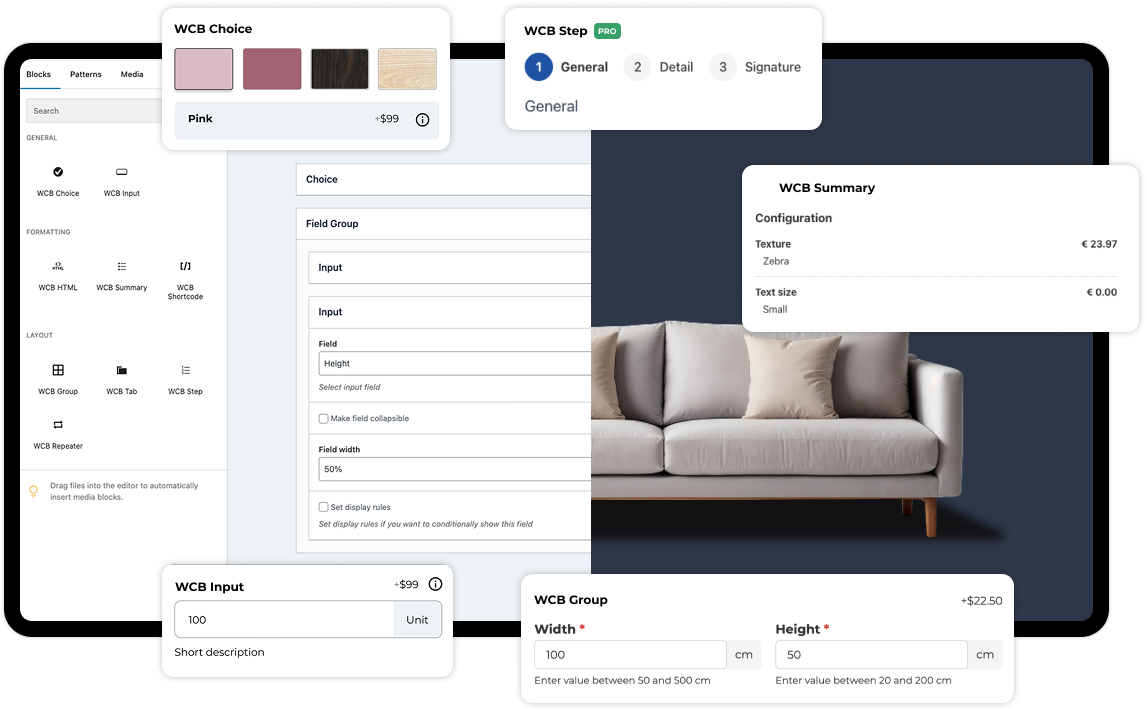
3. CPQ (Configure, Price, Quote) Forms
For B2B or high-ticket items, the Configure, Price, Quote model is essential. WP Configurator Builder makes this process seamless by letting users configure complex products, instantly see dynamic pricing, and generate a quote. Think of industries like manufacturing, printing, or industrial equipment sales.
4. Guided Selling Forms
Not sure what the customer needs? Guided selling forms lead them step by step with a series of questions. Based on their answers, the plugin recommends the best product or configuration. This is ideal for sectors like electronics, SaaS services, or custom clothing, where choices can get overwhelming.
5. Extra Product Options
Sometimes you don’t need a full configurator, just extra fields. WP Configurator Builder lets you add engraving options, personalized text, file uploads, swatches, or dropdowns directly to WooCommerce product pages. For example, a gift shop can offer monogramming, or a print shop can let customers upload artwork.
How to Start Using WP Configurator Builder for Free
Let’s take a quick hands-on tour to help you get started with the WP Configurator Builder plugin. You can enjoy a 14-day free trial of the Pro version and explore all its premium features in action.
Step 1: Install the Free Plugin
Download and install the free version of WP Configurator Builder from WordPress.org.
Once installed, activate it and make sure you’ve opted in during activation or from the plugin listing page.
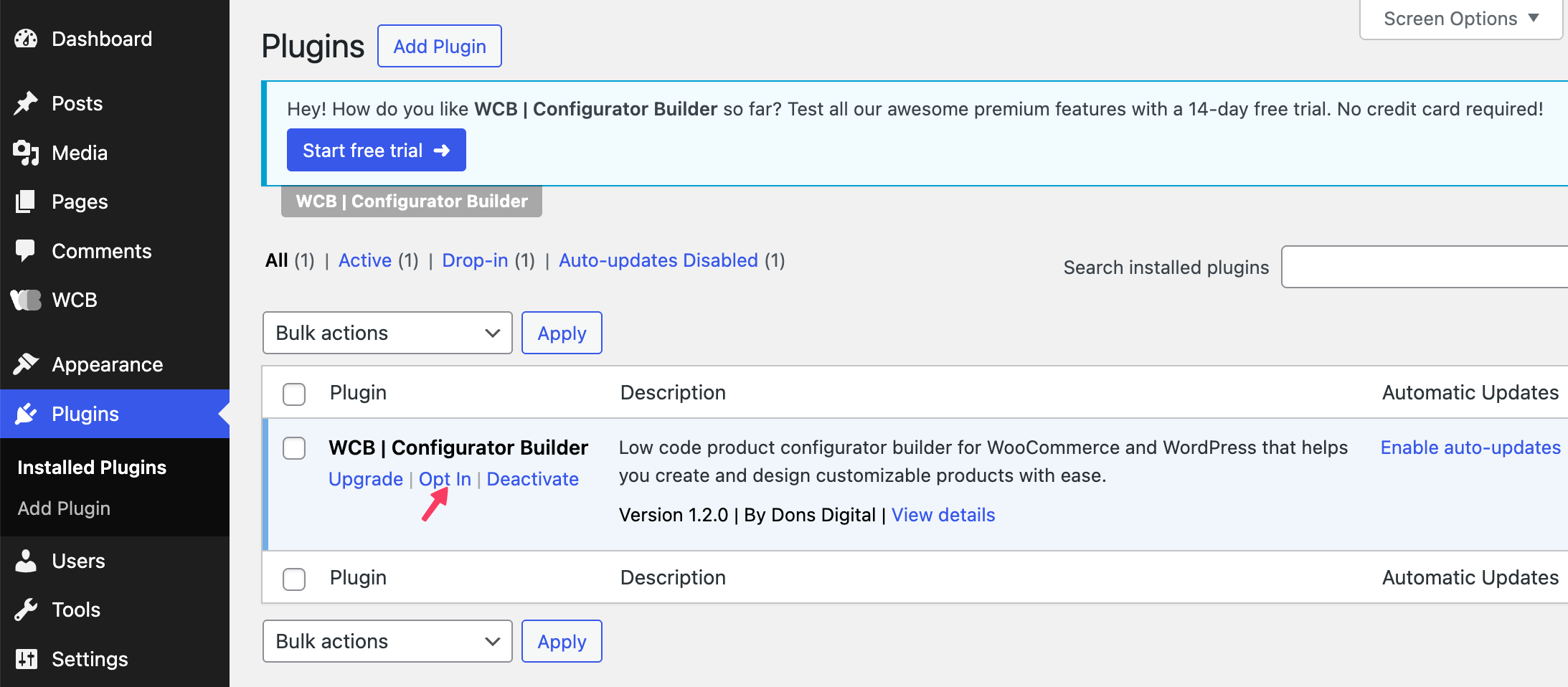
(If you skip this step, the trial won’t be linked to your account.)
Step 2: Activate the Trial
Check your WordPress account email, you’ll receive a confirmation email.
If you don’t get it, the trial can’t proceed.
When ready, go to the WCB Welcome Page and click “Start 14-day Free Trial.”
Confirm by clicking “Start Trial” again.
Step 3: Confirm & Install Pro Version
After starting the trial, you’ll receive another email with a confirmation button.
Click it to automatically download the Pro version.
Now, upload the Pro plugin to your WordPress dashboard. Then, deactivate the free version and activate the Pro version to avoid conflicts.
Learn More: How to Install a WordPress Theme (Three Easy Ways for Beginners)
Step 4: Create a Choice for Your Product
Go to WCB > Choices and add a choice with details and visuals. Save the changes and hit the Publish button.
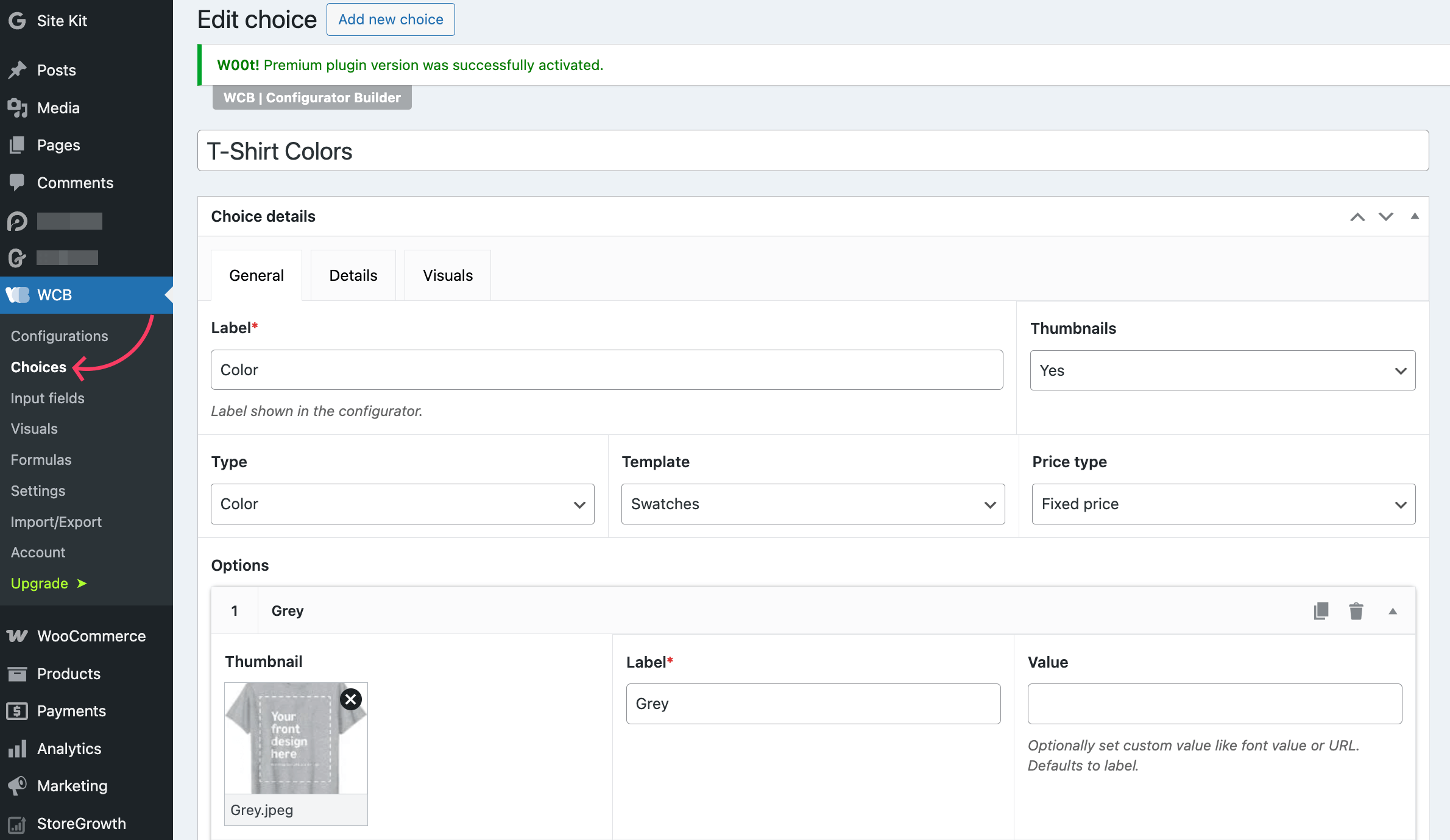
You should fix the how many configuration options you want to show on the frontend from the Details tab. This will ensure your product looks good at the final stage when the configuration appears before users.
Step 5: Create Your First Configurator
Now, it’s time to create a configurator. Go to WCB > Configurations and add a choice using the Gutenberg blovks provided by the plugin. Click on the plus (+) icon and choose WCB Choices. Select the choice you’ve created in the previous step.
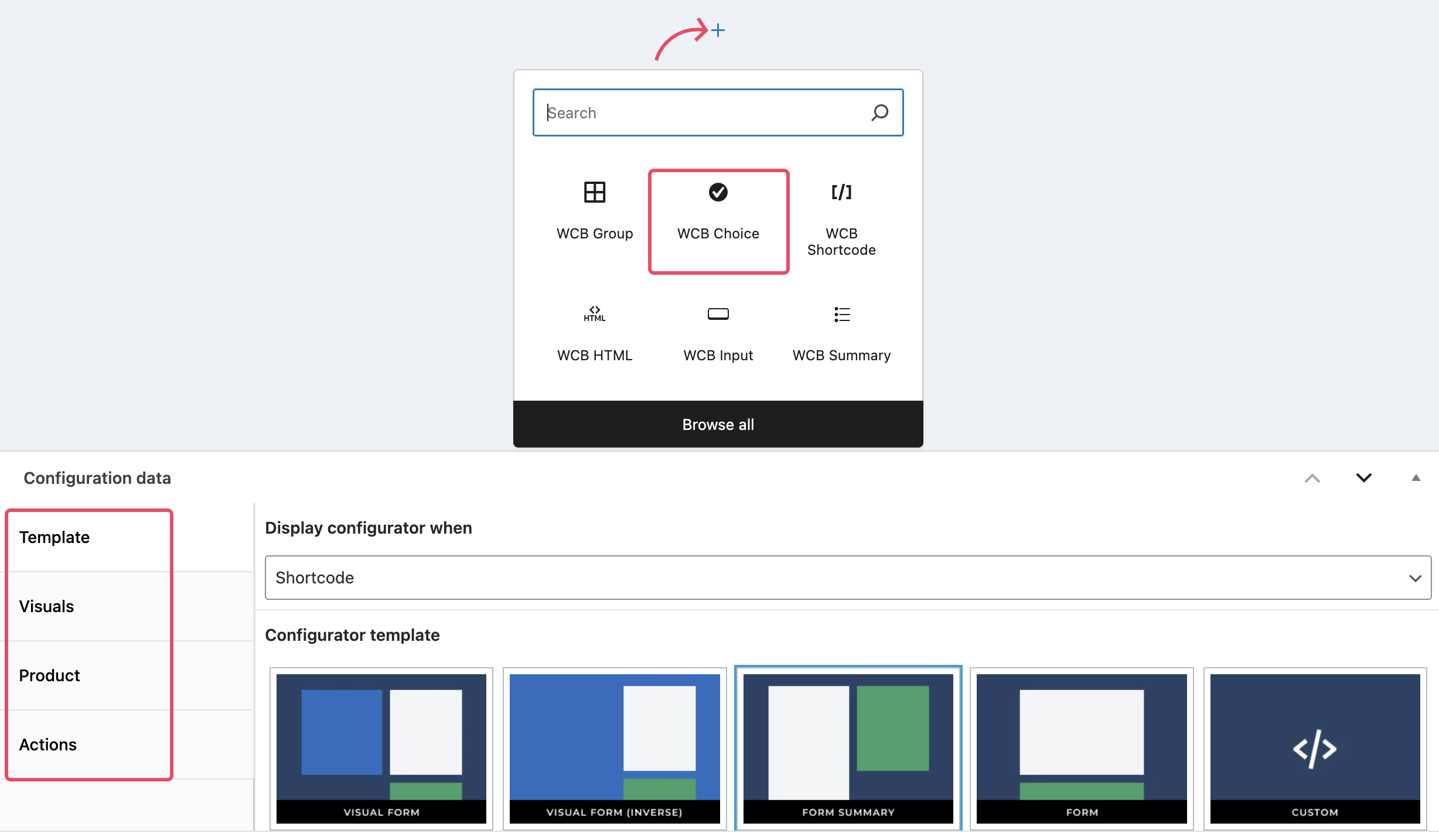
Choose a template and configure other important details by exploring the tabs: Template, Visuals, Product, and Actions.
Step 6: Add Visuals and Configure Display Rules
It’s time to add the visuals and define how you want the media files to appear for your choice.
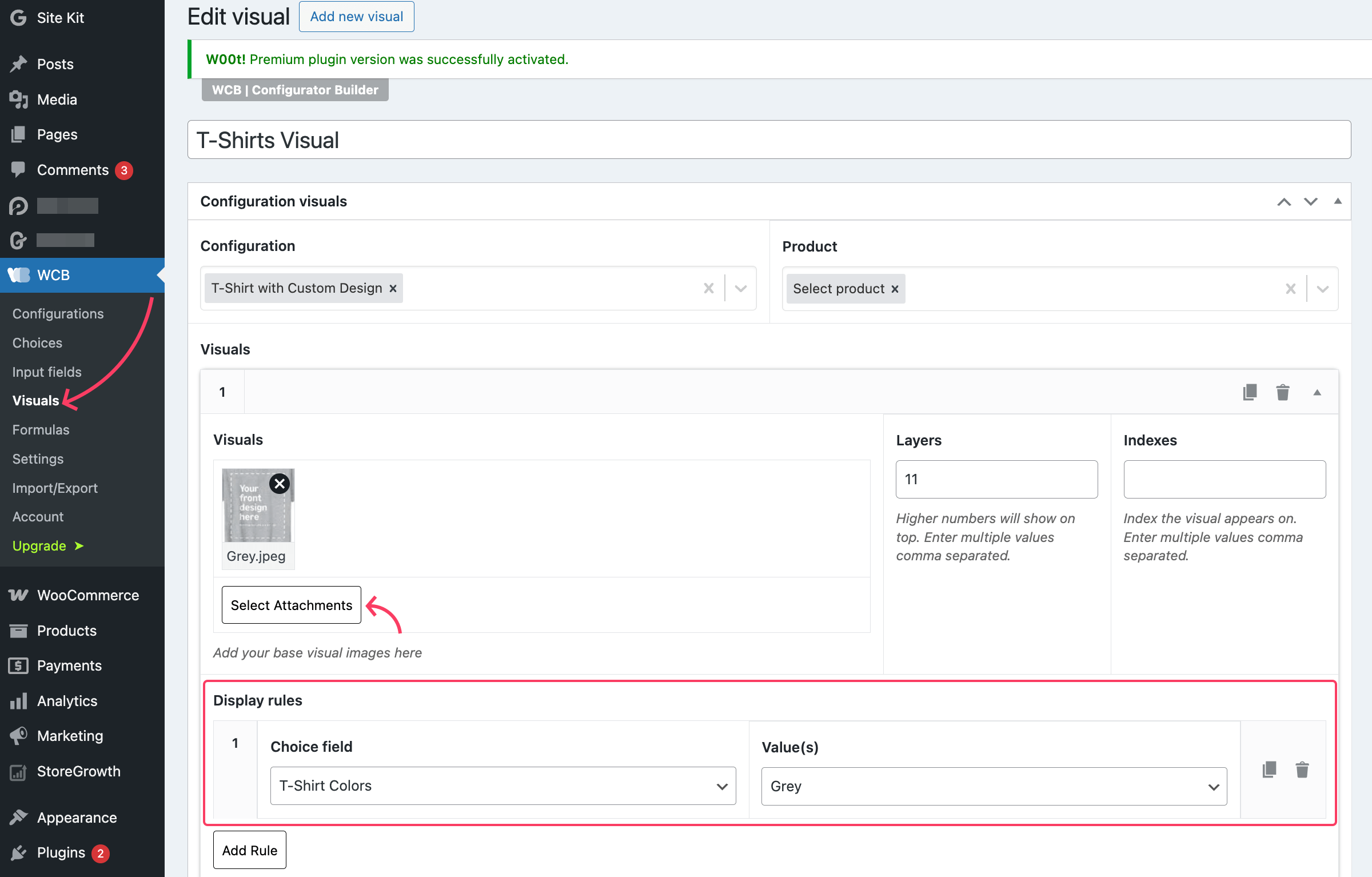
Set the display rules thoughtfully so that you can achieve your target goal and the visualization stays on spot.
Step 7: Configure Other Settings for Your Product
You can also control every small thing from the settings option. Go to WCB > Settings and navigate to each configuration tab from the left side panel. Choose 3D visual type if your product is best swhon in 3D model.
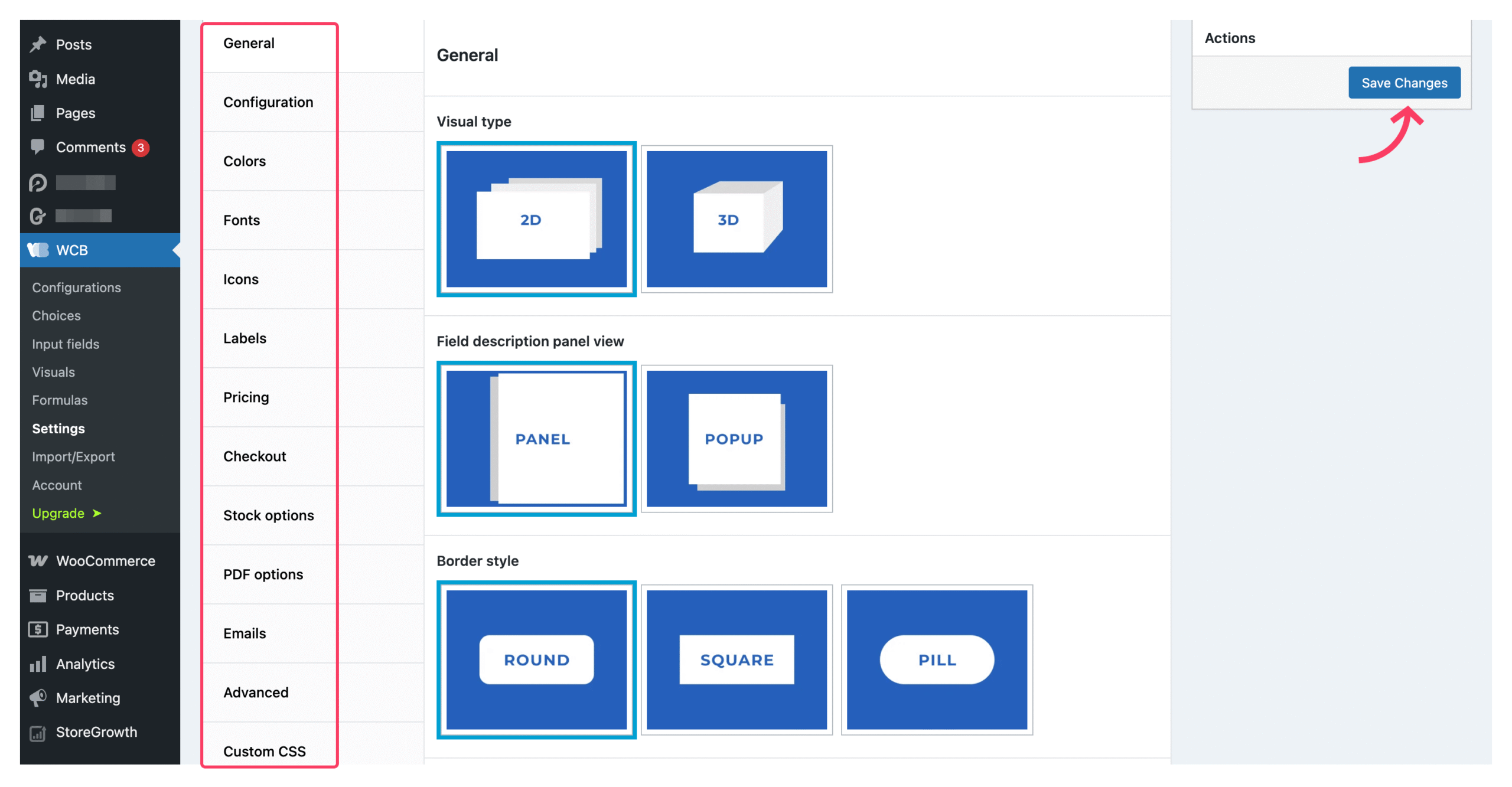
Hit Save Changes to store your settings. If you want more guidance, see this video: How to create a product configurator in WordPress – Step by step guide.
WP Configurator Builder Review: Pros and Cons
Like any plugin, WP Configurator Builder comes with its strengths and a few trade-offs. Here’s a quick look at the advantages and limitations to help you decide if it’s the right fit for your store.
Pros:
- No coding required
- Unlimited options and configurators
- Real-time visual & price updates
- Works with or without WooCommerce
- Multi-step forms, conditional logic, and advanced fields
- 3D & AR features in Pro version
- Multi-language and RTL support
Cons:
- Some advanced features require Pro
- Complex configurations may need a short learning curve
Pricing Overview of the WP Configurator Builder Plugin
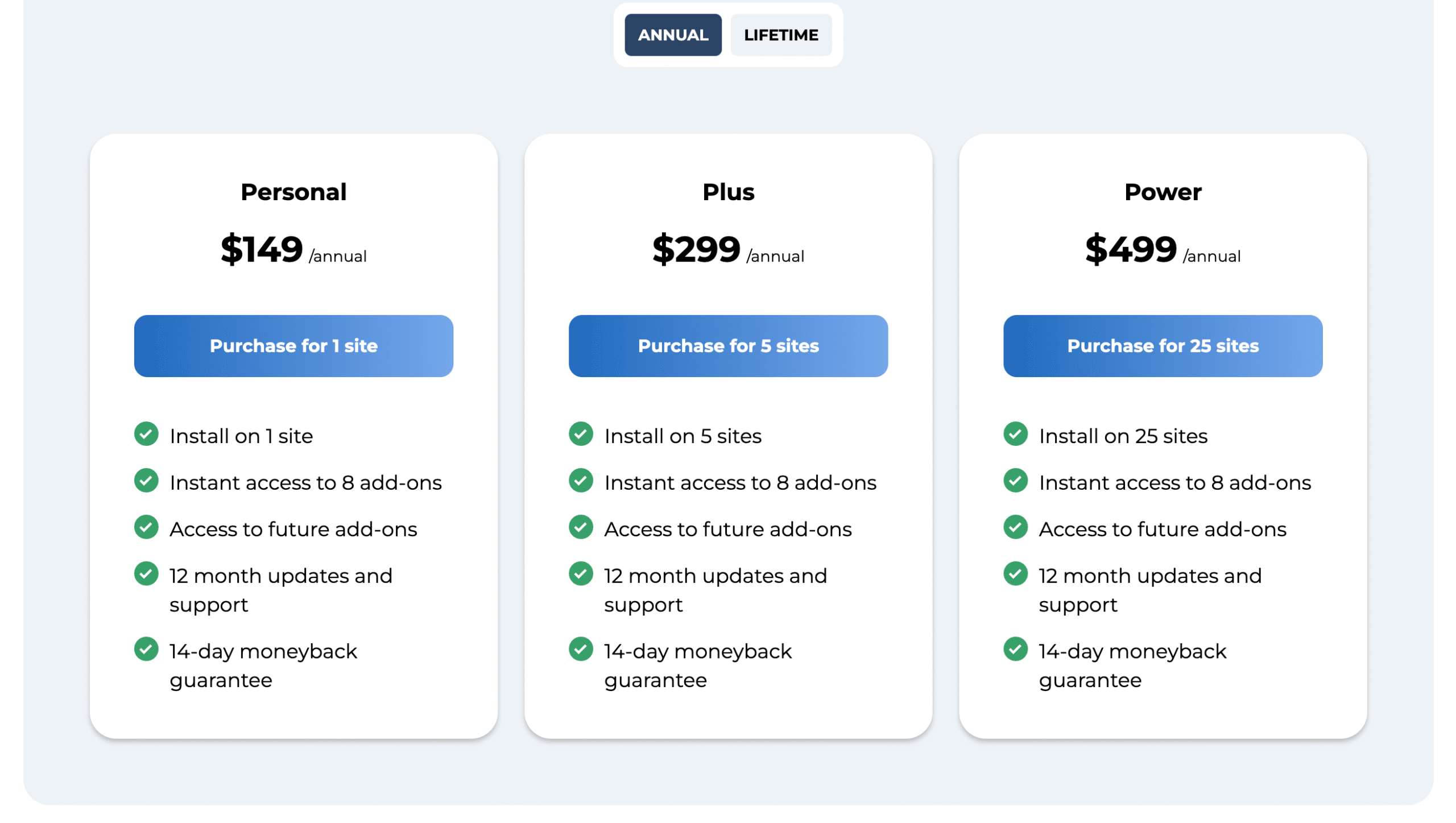
- Free Version: Unlimited configurators, real-time updates, basic WooCommerce integration
- Pro Add-Ons: Individual add-ons range from $29 to $79 for features like 3D visuals, advanced fields, conditional logic, inventory management, and price formulas
- Bundle Deal: Starts at $149 (save 60%) for 8+ add-ons with 12 months of updates, support, and future add-on access
See detailed pricing here → Plans and pricing.
WP Configurator Builder (WCB) vs Competitors
WP Configurator Builder and STAGGS are the most flexible options overall, offering true 3D support, standalone usage, and unlimited configurators. WP Configurator (by Out of the Sandbox) is strong for WooCommerce stores but doesn’t support real 3D or standalone setups. Iconic and Visual Product Configurator focus on WooCommerce-only 2D setups with image-based previews.
| Feature | WP Configurator Builder | WP Configurator | Iconic WooCommerce Configurator | Visual Product Configurator | STAGGS |
|---|---|---|---|---|---|
| Unlimited Options / Configurators | ✅ Yes | ✅ Yes | ❌ Limited (based on Woo variations) | ✅ Yes | ✅ Yes |
| Live Visual Updates | ✅ Yes | ✅ Yes | ✅ Yes | ✅ Yes | ✅ Yes |
| 3D Configurators (True 3D/AR) | ✅ Pro | ❌ 360° images only | ❌ No | ❌ No | ✅ Pro |
| WooCommerce & Standalone Use | ✅ Works with or without WooCommerce | ✅ WooCommerce only | ❌ WooCommerce only | ❌ WooCommerce only | ✅ Works with or without WooCommerce |
| Multi-Step Forms | ✅ Yes | ✅ Pro Add-on | ❌ No | ❌ No | ✅ Yes |
| Conditional Logic | ✅ Yes | ✅ Yes | ✅ Yes | ✅ Yes | ✅ Yes |
Final Thoughts
WP Configurator Builder stands out as a powerful yet beginner-friendly solution for anyone who wants to create interactive product experiences in WordPress. If you’re building a simple options form or a full 3D configurator, it gives you the flexibility and control to do it all – without writing a single line of code.
If you’re serious about boosting engagement and letting customers personalize products their way, this plugin is definitely worth a try. Start with the free version, explore the 14-day Pro trial, and see how easily your WooCommerce products can come to life.




 Email Subscription Request


Add your first comment to this post